C2D Quick Look
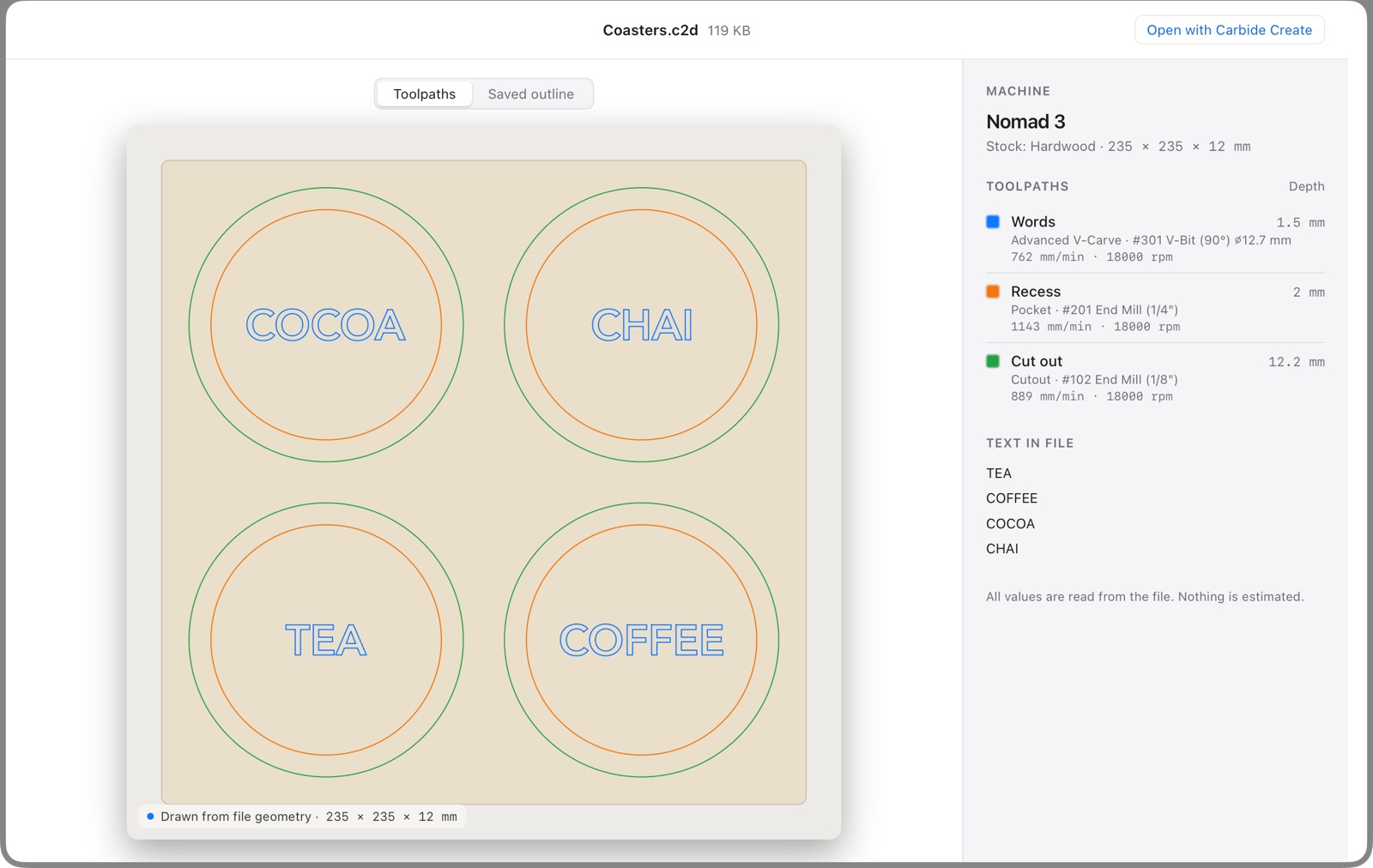
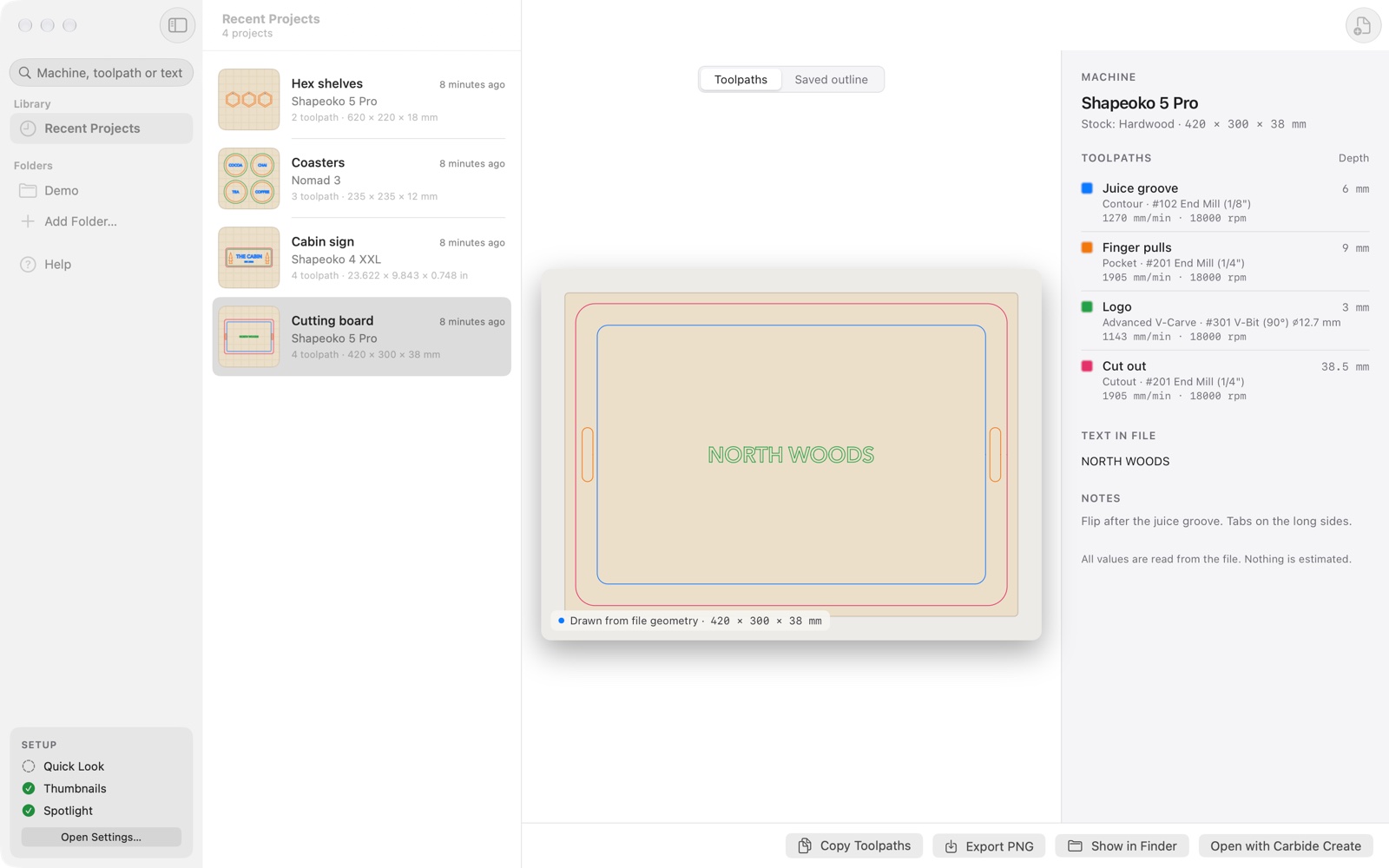
Finder previews for Carbide Create designs. Press Space on a .c2d file to see the drawing on its stock, the machine it was made for and every toolpath’s bit, depth and feed.
$3.99, one-time purchase. macOS 14 or later. No in-app purchases, no data collected.
Why it exists
Carbide Create has no Quick Look support on the Mac, so Finder shows a blank document for every design. You open Carbide Create just to find out which file is which. C2D Quick Look reads the design file itself, so it works without Carbide Create running or even installed.
What it does
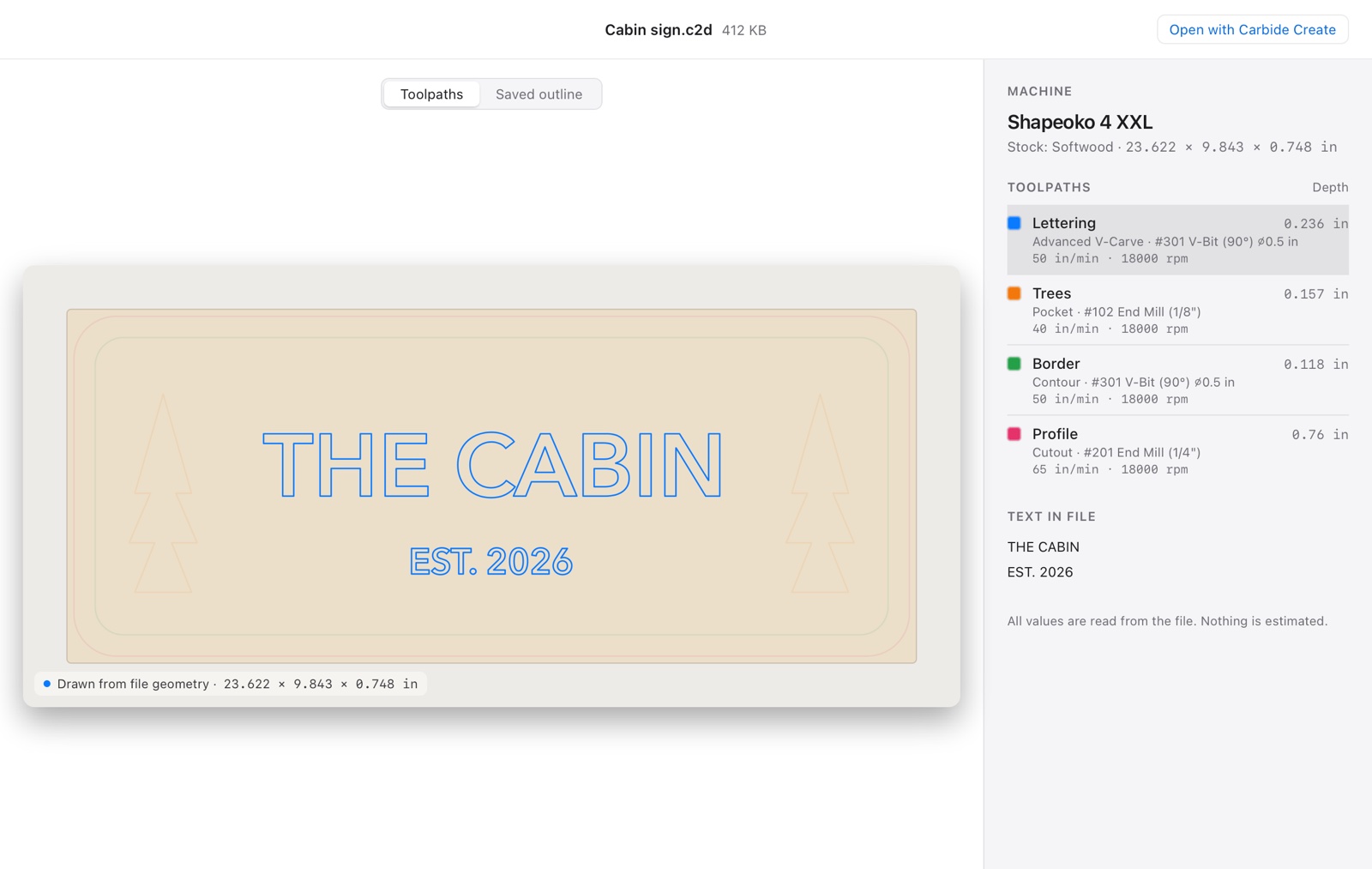
Quick Look. The drawing on its stock, drawn from the shapes in the file in toolpath colours, with a short trace animation. Point at a toolpath to fade out everything it doesn’t cut. Next to it: the machine, material and stock size, each toolpath’s type, bit, depth, feed and speed, the text in the file and your notes. Inches or millimetres, as you set them in Carbide Create.
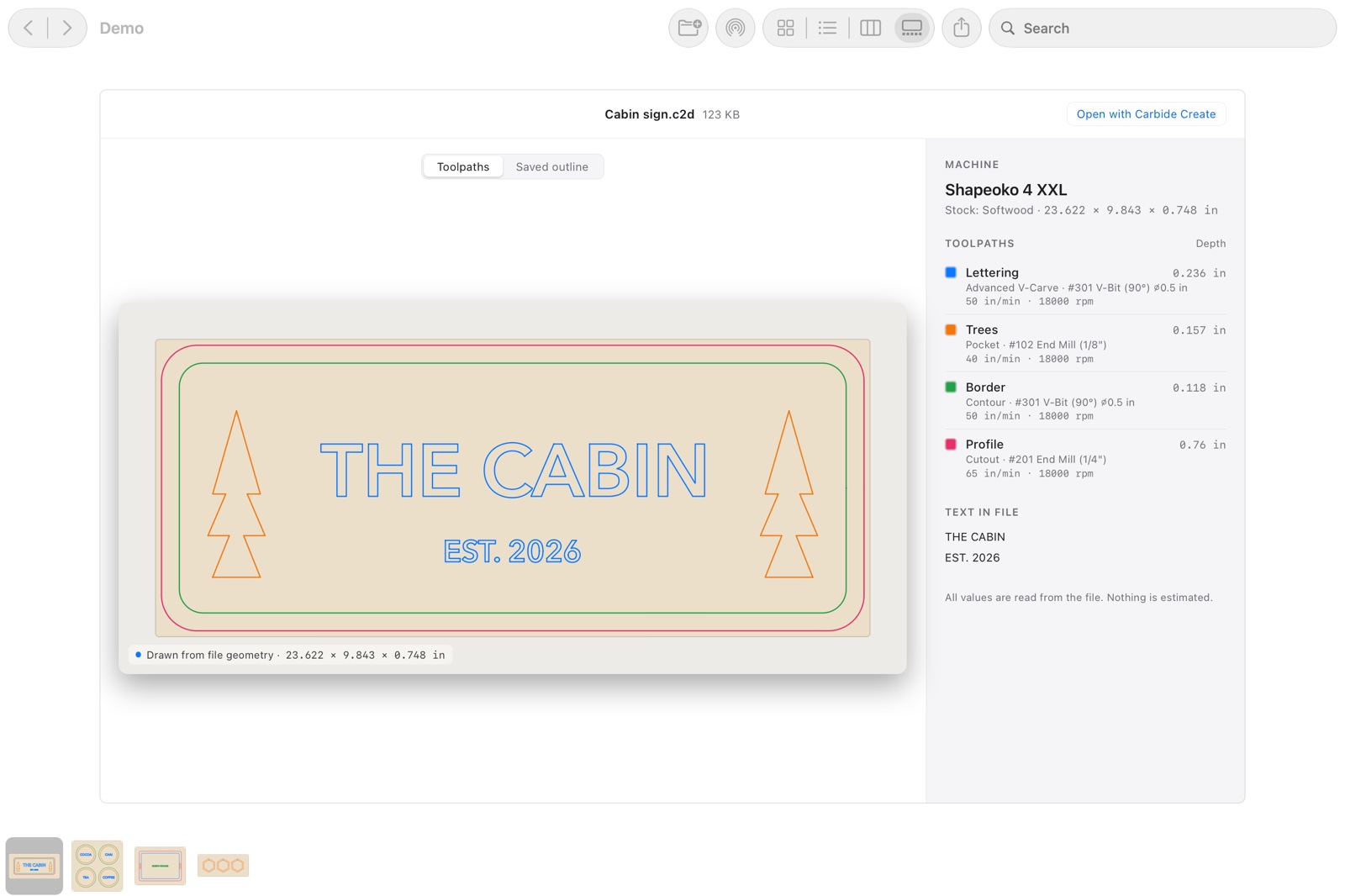
Thumbnails in Finder. Icon, list, column and gallery views show the design instead of a blank page.
Spotlight. Search for a machine, a material, a toolpath name, a bit like “#201” or a word you carved.
Quick Actions and Shortcuts. Export Preview Image saves PNG files at 2048 pixels to Downloads › C2D Previews. Copy Toolpaths copies a plain-text table of every toolpath.
How accurate is the drawing?
Carbide Create saves an outline drawing of the design in every file it writes today. Before C2D Quick Look shows its own drawing, it compares the two. If they don’t match, you see Carbide Create’s outline instead. In tests with real designs from public projects, every drawing that could be compared matched.
Older files from Carbide Create 6 and earlier have no saved outline. They are drawn from their shapes and marked “unverified”. The very oldest files don’t store text as outlines; there the text is left out and the preview says so, rather than guessing.
Every number comes from the file. The app doesn’t estimate run times, suggest materials or fill in defaults that aren’t there.
Setup
- Install C2D Quick Look from the Mac App Store and open it once.
- Open System Settings › General › Login Items & Extensions › Quick Look and turn on both entries: C2D Preview (Space bar) and C2D Thumbnails (Finder icons). On macOS 14 the path is Privacy & Security › Extensions › Quick Look.
- Select a .c2d file in Finder and press Space. No design at hand? Try the sample design.
For the Quick Actions, open the Shortcuts app, add Export Preview Image or Copy Toolpaths to a shortcut and turn on Use as Quick Action in its details.
Support
A file shows a black outline instead of the coloured drawing
That happens when the drawing didn’t match the outline Carbide Create saved, for example with a feature the app doesn’t draw yet. If you can share the file, please send it to me; every file helps.
Some files still show a plain icon
Those files contain no shapes that can be drawn. Other programs also use the .c2d extension; their files are left alone.
Previews don’t update
Reset Quick Look in Terminal:
qlmanage -r
qlmanage -r cache
killall Finder
Refunds
Purchases go through Apple. Request a refund at reportaproblem.apple.com.
Contact
Email mika@kuusisto.tech. Include your macOS version, your Carbide Create version if you have one, and the file if you can share it. I usually reply within two working days.
Privacy: C2D Quick Look privacy policy.
Also by me: LBRN Quick Look for LightBurn laser projects and SKP Quick Look for SketchUp models.