SKP Quick Look
Finder previews for .skp models. See the picture saved in every SketchUp file, press Space for Quick Look, and find models by the version that saved them.
$1.99, one-time purchase. macOS 14 or later. No in-app purchases, no data collected.
Why it exists
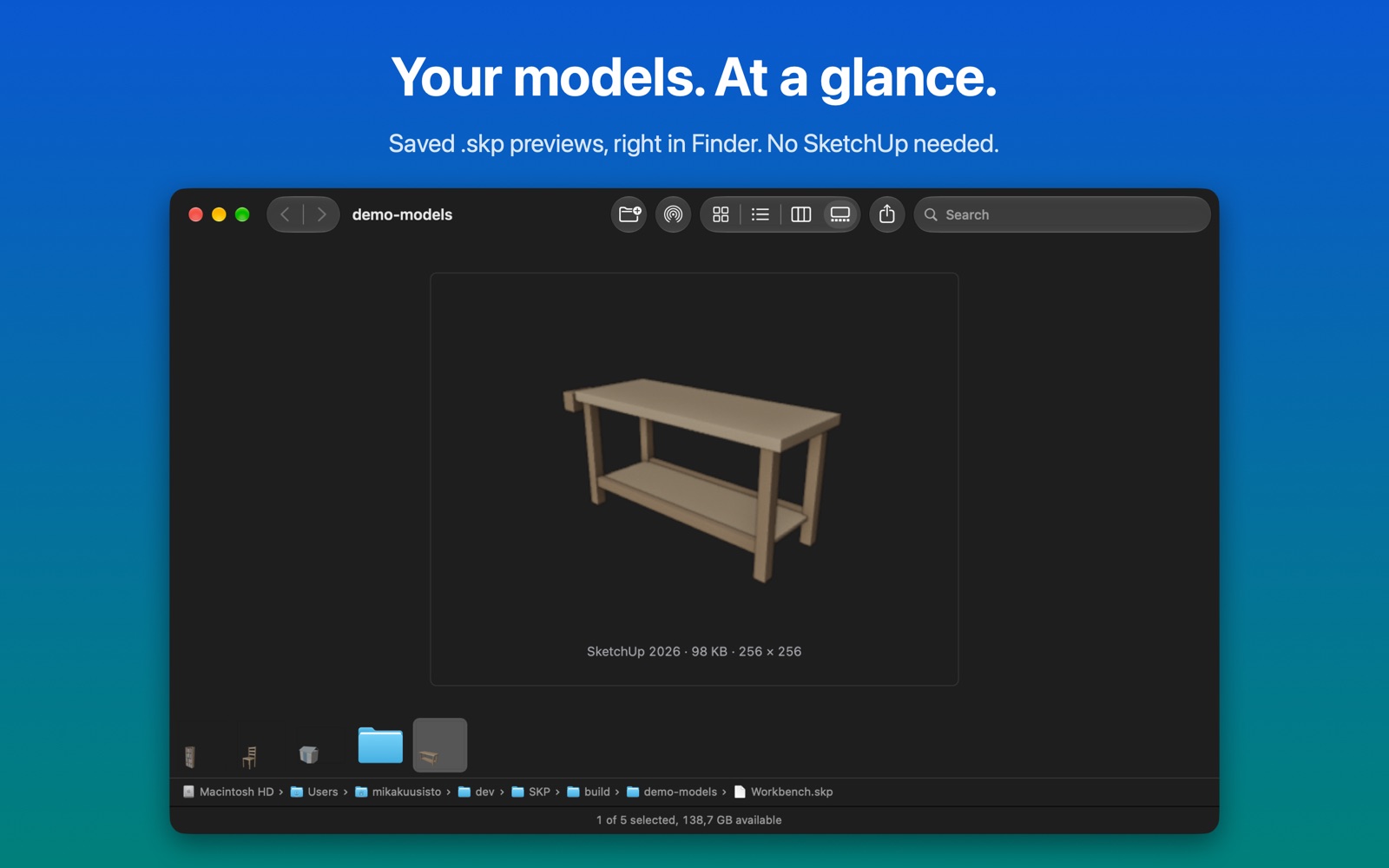
The Quick Look extension that ships with SketchUp 2025 and 2026 does not work on current versions of macOS, so Finder shows plain icons for .skp files. The files themselves are fine: every model still carries its own preview picture. SKP Quick Look reads that picture directly, so it also works on Macs that don’t have SketchUp installed and for files from old versions, back to SketchUp 3.
What it does
Thumbnails in Finder. Icon, list, column and gallery views show each model’s preview instead of a blank document.
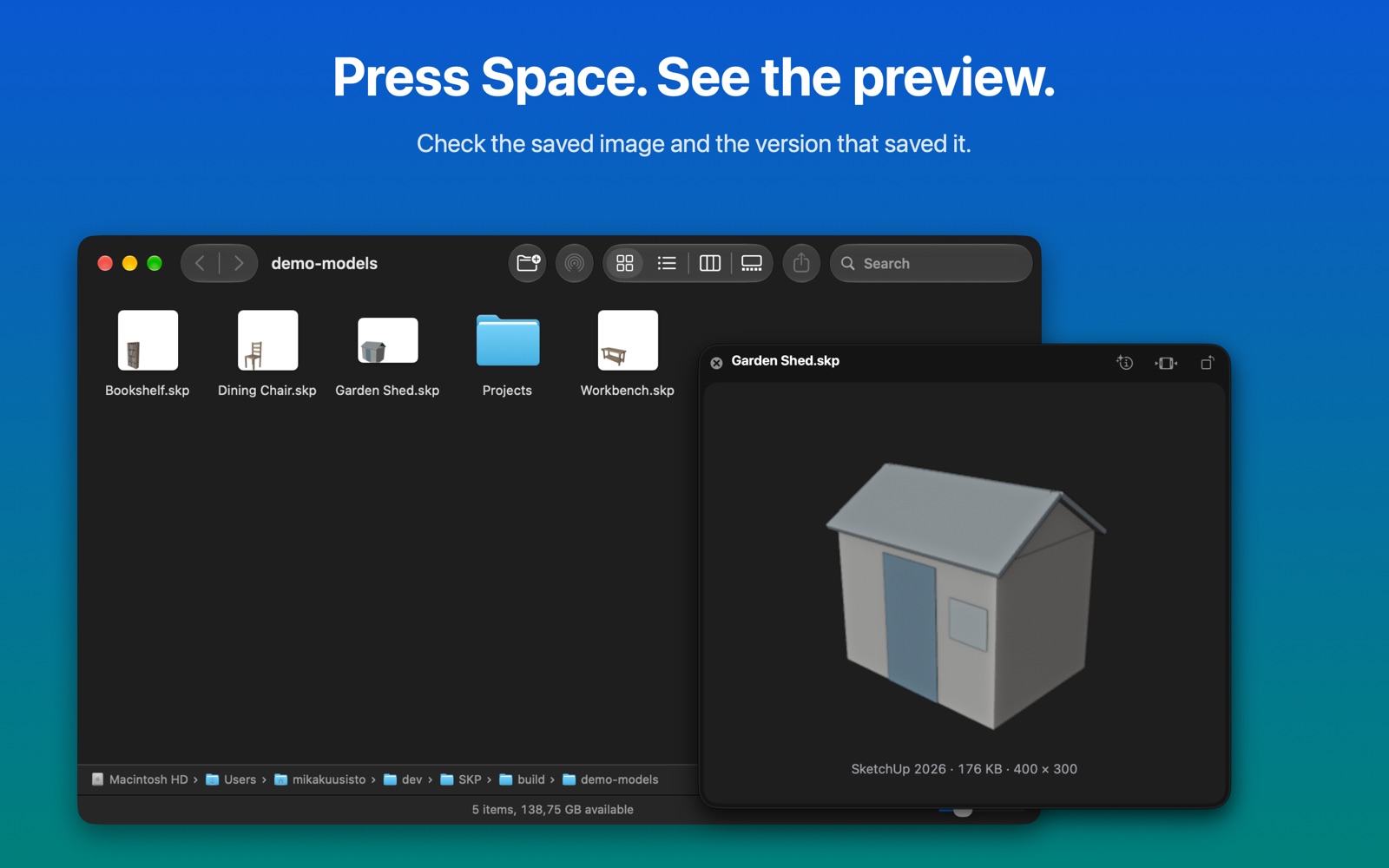
Quick Look. Select a model and press Space to see the preview, the SketchUp version that saved it, and the file size.
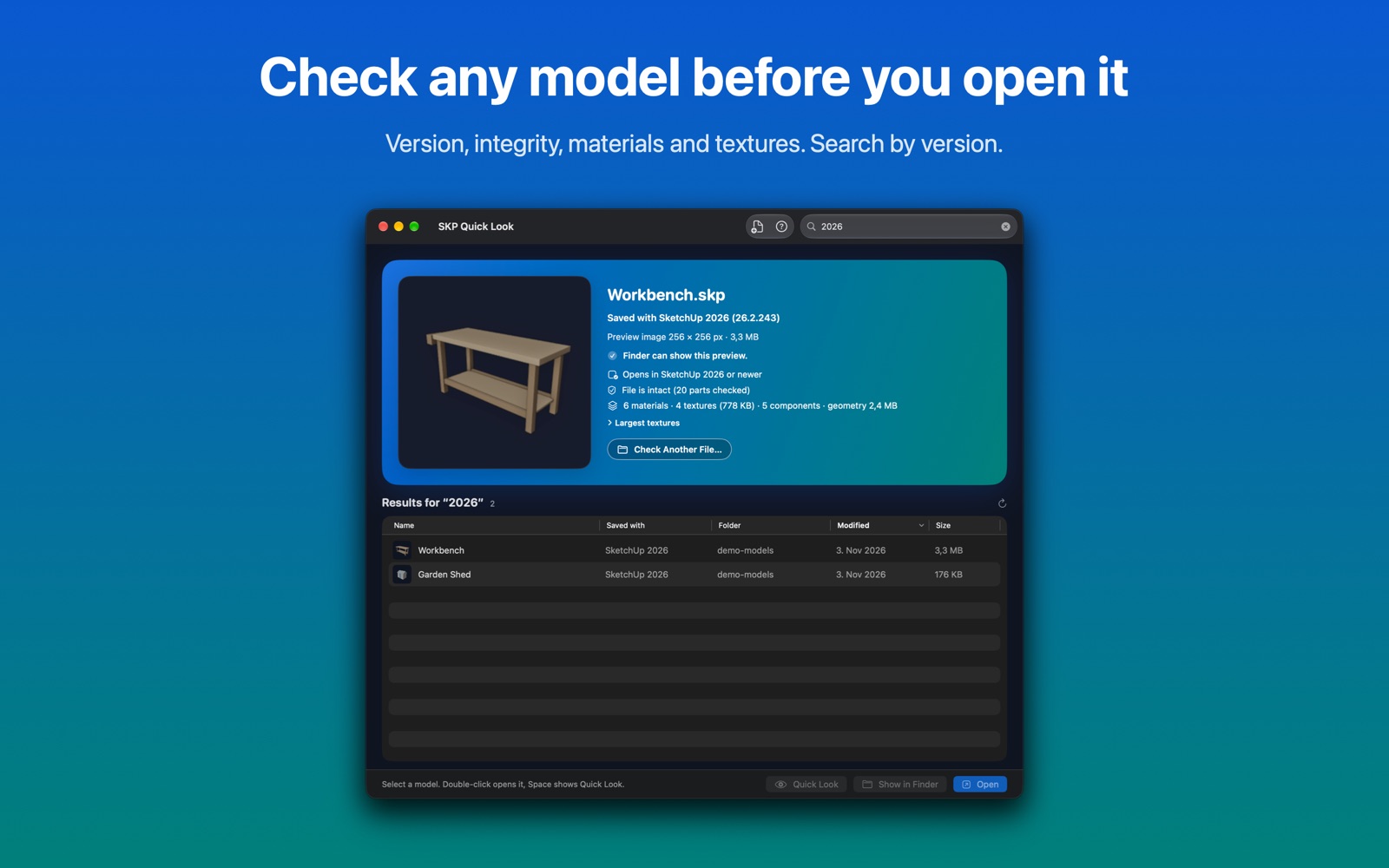
Spotlight. Search for “SketchUp 2026” to find every model saved with that version, or for a material or texture name used in a model. Get Info shows the version too.
Check a model. Drop a file on the app window to see whether it has a preview, which SketchUp version you need to open it, whether the file is intact, and how many materials, textures and components it contains. You can also open a .skp file with SKP Quick Look from Finder or Spotlight.
About image size
SketchUp stores a small picture inside each model, usually 256 × 256 pixels. SKP Quick Look shows it at its real size. It does not render the 3D model, and it won’t stretch the picture into a blurry one. Files exported by some other programs contain no picture at all; for those, Quick Look shows the file name and version.
Setup
- Install SKP Quick Look from the Mac App Store and open it once.
- Open System Settings › General › Login Items & Extensions › Quick Look and turn on SKP Quick Look. It appears twice, once for the preview and once for the thumbnails; turn on both. (On macOS 14 the path is Privacy & Security › Extensions › Quick Look.)
- Select a .skp file in Finder and press Space.
Spotlight picks up the SketchUp version as files are indexed. Models that were already on your Mac are indexed again over time; restarting the Mac speeds it up.
Support
SketchUp 2025 or 2026 is installed and I see no previews
macOS uses one Quick Look extension per file type. In the Quick Look settings above, turn off SketchUp’s own entries and keep SKP Quick Look on. Then reset Quick Look in Terminal:
qlmanage -r
qlmanage -r cache
killall Finder
Some files still show a plain icon
Those files contain no preview picture. Drop one on the app window to confirm it.
A file says “Can’t read this file”
Other programs also use the .skp extension, for example colour palettes and 3D printing files. SKP Quick Look checks the contents, not the name, and leaves those files alone. A partly downloaded file can also fail; the app’s integrity check shows which part is missing.
Refunds
Purchases go through Apple. Request a refund at reportaproblem.apple.com.
Contact
Email mika@kuusisto.tech. Include your macOS version, your SketchUp version if you have one, and the file if you can share it. I usually reply within two working days.
Privacy policy
Last updated 3 November 2026. Applies to the SKP Quick Look app for macOS.
SKP Quick Look collects no data. The app and its extensions have no network access, no analytics, no advertising, no tracking and no accounts. Nothing you open with it leaves your Mac.
The app reads only what it needs: the .skp files that Finder, Quick Look, Spotlight or you ask it to show, and the locations you allow it to search (normally your Home folder). For those locations it keeps a macOS bookmark in its own storage on your Mac; it is deleted when you remove the location or the app. The app has read-only access and never changes your files.
The Spotlight importer runs inside macOS’s own indexing service and adds the SketchUp version and the names of materials, textures and components to your Mac’s local Spotlight index. That index stays on your Mac.
If you email me, I use your message only to answer you and delete it when it is no longer needed. Payments are handled by the App Store under Apple’s privacy policy; I receive no personal data about who bought the app.
If this policy changes, the new version appears here with a new date. Questions: mika@kuusisto.tech. Controller: Kuusisto Tech (Mika Kuusisto), Finland.